Creating Videos with Adobe: A Comprehensive Guide

Adobe video creation is revolutionizing storytelling by providing powerful yet accessible tools to craft compelling narratives. Whether you're a non-profit marketing lead or a social impact organization seeking to amplify your mission, Adobe's suite of video editing software offers something for everyone. With intuitive platforms like Premiere Pro and After Effects for professional-grade projects, and Adobe Express for quick, shareable clips, Adobe equips users to turn every story into a visual masterpiece.
Quick Benefits of Adobe Video Creation:
- Versatility: Tools like Premiere Pro and After Effects provide professional, detailed editing functionalities.
- Accessibility: Adobe Express allows easy video creation without extensive expertise.
- Improvement: Use generative AI to add animations, effects, and more.
- Storytelling: Transform raw footage into engaging narratives that resonate with audiences.
Adobe's video creation tools support countless creative possibilities, enabling storytelling that not only captures but also inspires and moves audiences.
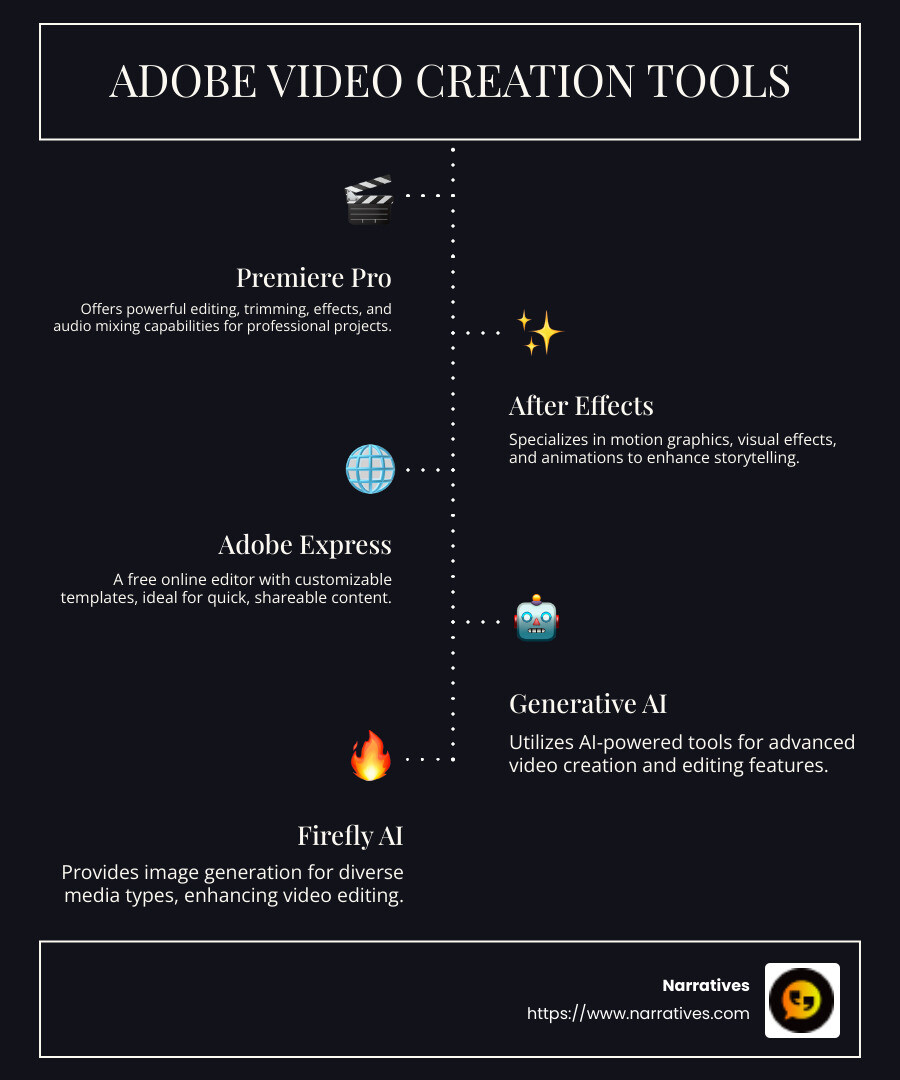
Adobe video creation terms to remember:
Adobe Video Creation Tools
Adobe offers a suite of tools that cater to different aspects of video creation, from professional editing to quick social media content. Let's explore the key offerings: Premiere Pro, After Effects, and Adobe Express.
Premiere Pro
Premiere Pro is Adobe's flagship video editing software, perfect for those looking to dive deep into detailed video editing. This tool allows you to edit and trim videos with precision, ensuring every cut and transition is seamless.
- Edit and Trim: Easily cut out unwanted parts or merge clips to create your desired sequence.
- Effects: Add a variety of effects to improve your video, from color grading to complex visual effects.
- Audio Mixing: Mix audio tracks to ensure perfect sound balance. You can adjust levels, add sound effects, and even integrate Adobe Stock soundtracks to lift your video’s audio quality.
Premiere Pro is ideal for creating polished, professional-grade videos, whether you’re working on a short film or a feature-length project.
After Effects
After Effects is where you bring motion to your creations. This tool is all about turning static visuals into dynamic, moving art.
- Motion Graphics: Animate logos, text, or any graphic elements to make your videos visually engaging.
- Visual Effects: Add eye-catching visual effects that can transform ordinary shots into cinematic masterpieces.
- Animation: Craft detailed animations that can breathe life into characters and objects, making them move and interact in your video.
Whether you want to create a stunning title sequence or add special effects, After Effects provides the tools needed for intricate and professional animations.
Adobe Express
For those who want to create videos quickly and easily, Adobe Express is the go-to tool. It's designed for users of all skill levels, offering a straightforward interface with powerful capabilities.
- Free Online Editor: Edit videos directly in your browser without needing to download any software. It's perfect for quick edits and getting your content ready in no time.
- Templates: Choose from a variety of customizable templates to kickstart your project, making it easy to maintain a consistent visual style.
- Social Media: Optimize your videos for various social media platforms, ensuring they look great whether on Instagram, Facebook, or any other platform.
Adobe Express makes video creation accessible to everyone, allowing you to produce engaging content without needing extensive editing experience.
Each of these tools serves a unique purpose in the video creation process, empowering you to tell your story in the most effective way possible. Whether you're crafting a detailed narrative or a quick social media clip, Adobe has the tool to suit your needs.
How to Create Videos with Adobe
Creating videos with Adobe is a straightforward process, even if you're a beginner. Let's break it down into three simple steps: Upload Media, Select Templates, and Edit Videos.
Upload Media
Start your Adobe video creation journey by uploading your media. Whether you're using Adobe Express or another Adobe tool, the process is intuitive.
- Video Types: Choose the type of video you want to create. It could be a short clip for social media or a longer piece for a presentation. Adobe Express allows you to tailor your project to fit your needs.
- Start from Scratch: If you prefer a blank slate, Adobe Express lets you upload your own videos, images, and audio files to begin from scratch. This flexibility ensures that your creative vision isn't limited by pre-existing content.
Select Templates
Once your media is uploaded, it's time to explore Adobe's vast library of templates.
- Customizable Templates: Adobe Express offers thousands of fully customizable templates. These templates are designed to cater to various visual styles and themes, making it easy to find one that matches your project's vibe.
- Visual Style: With Adobe Express, you can add icons, text, images, and animations to personalize your video. This helps in creating a unique and cohesive visual style that stands out.
Edit Videos
Now, let's dive into the editing phase, where you can refine your video to perfection.
- Crop, Trim, Split: Adobe Express provides easy-to-use tools to crop, trim, and split your video clips. This allows you to remove unwanted parts and seamlessly merge the segments you want to keep.
- Adobe Stock Soundtracks: Improve your video with sound. Adobe Express lets you add music from hundreds of royalty-free Adobe Stock soundtracks. You can also upload your own music to ensure your video sounds just as good as it looks.
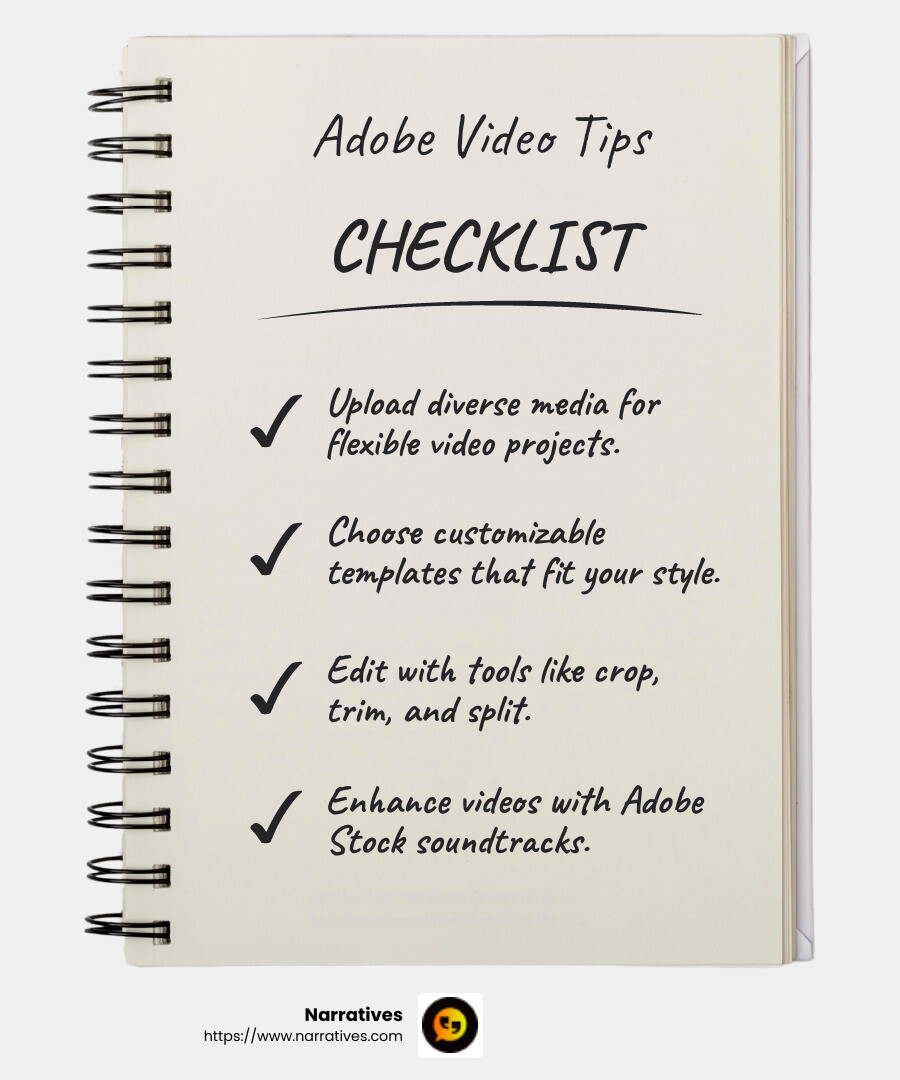
With these steps, creating videos with Adobe becomes an engaging and enjoyable process. Whether you're crafting a short social media video or a detailed narrative, Adobe's tools empower you to bring your stories to life.
Next, we'll explore the Advanced Features in Adobe Video Creation, where you can learn about the cutting-edge tools like Generative AI and Firefly AI that Adobe offers to lift your video projects.
Advanced Features in Adobe Video Creation
Adobe's video creation tools are packed with advanced features that can take your projects to the next level. Let's explore how Generative AI, Firefly AI, and Animated Effects can improve your creative process.
Generative AI
Adobe's Generative AI tools are revolutionizing video creation and editing. These AI-powered tools help you automate tasks and add creative flair with ease.
- AI-Powered Tools: Generative AI can assist in creating unique visual elements, such as backgrounds or textures, based on your input. This saves time and ensures your videos have a distinct look.
- Video Creation and Editing: With AI, you can quickly generate multiple versions of a video. This is especially useful for marketers who need to adapt content for different platforms or languages. Adobe's AI tools have been reported to increase asset production efficiency by 70-80%.
Firefly AI
Firefly AI is a game-changer in the field of video editing, offering innovative features that streamline the creative process.
- Image Generation: With Firefly AI, you can generate stunning visuals from simple text prompts. Imagine describing a scene in words and watching it come to life as a video.
- Media Types and Video Editing: Firefly supports a wide range of media types, allowing you to incorporate diverse elements into your projects. Its ability to translate and lip-sync videos in different languages while maintaining voice authenticity is a major breakthrough.
Animated Effects
Adding animated effects can make your videos more engaging and visually appealing. Adobe offers a variety of tools to help you do just that.
- Graphics and Icons: Use animated graphics and icons to highlight key points in your video. This can make your content more dynamic and informative.
- Text and Attention-Grabbing Elements: Incorporate animated text to emphasize important messages. These elements are designed to capture the viewer's attention and keep them engaged throughout the video.
By leveraging these advanced features, Adobe empowers you to push the boundaries of creativity in video production. Whether you're a seasoned professional or a beginner, these tools offer endless possibilities to improve your storytelling capabilities.
Next, we'll dive into the Frequently Asked Questions about Adobe Video Creation to address common queries and provide further insights into how Adobe's tools can benefit your projects.
Frequently Asked Questions about Adobe Video Creation
How does Adobe's AI improve video creation?
Adobe's AI capabilities, especially through Generative AI and Firefly AI, are changing how videos are created and edited. These tools automate repetitive tasks and introduce creative possibilities that were previously time-consuming or complex.
Generative AI: This tool helps in creating unique visual elements by generating backgrounds, textures, and more. It allows for the quick production of various video versions, which is ideal for marketers needing to tailor content for different audiences or platforms. With reports of a 70-80% increase in asset production efficiency, Adobe's AI is a game-changer for video creators.
Firefly AI: Known for its innovative features, Firefly AI can generate visuals from text prompts, turning descriptions into dynamic videos. It supports a variety of media types and offers translation and lip-sync capabilities, maintaining voice authenticity across languages.
What are the benefits of using Adobe Express for beginners?
Adobe Express is an excellent entry point for beginners in video creation. It offers a free, user-friendly platform that simplifies the editing process.
Free Editor: Adobe Express provides a cost-effective solution for those starting out, allowing users to explore video creation without financial commitments.
Templates: With a wide array of customizable templates, users can easily create professional-looking videos. This feature is especially helpful for beginners who might not have design skills but still want visually appealing content.
Ease of Use: The intuitive interface and drag-and-drop functionality make Adobe Express accessible to everyone, regardless of their technical expertise. Beginners can quickly learn the basics of video editing and start creating content without feeling overwhelmed.
How can Adobe tools help non-profits in storytelling?
Adobe tools are invaluable for non-profits aiming to tell impactful stories and engage their communities.
Video Creation: Non-profits can leverage Adobe's video creation tools to produce compelling narratives that highlight their missions and the communities they serve. High-quality videos can effectively convey stories that resonate with audiences and inspire action.
Social Impact: By using Adobe's tools, non-profits can create content that raises awareness and drives social change. Videos can be powerful mediums for showcasing the challenges faced by communities and the solutions being implemented.
Community-Driven: Adobe's user-friendly tools enable non-profits, even those with limited resources, to produce professional content. This empowers organizations to amplify their voices and connect with supporters on a deeper level.
With Adobe's comprehensive suite of video creation tools, non-profits can improve their storytelling efforts and make a meaningful impact. Whether it's through engaging videos or dynamic presentations, Adobe equips organizations with the resources needed to tell their stories effectively.
Conclusion
In today's digital landscape, storytelling is more vital than ever, particularly for non-profits striving to share their missions and impact. At Narratives, we understand the power of a well-crafted story and how it can inspire action, build trust, and increase visibility for purpose-driven organizations.
Adobe's suite of video creation tools, including Premiere Pro, After Effects, and Adobe Express, offers non-profits the resources to produce high-quality, emotionally resonant content. These tools are not just about editing; they are about bringing stories to life in a way that resonates with audiences and drives social change.
Premiere Pro allows for detailed editing and audio mixing, ensuring that every video is polished and professional. After Effects adds a layer of creativity with motion graphics and visual effects, making stories more engaging. For those new to video creation, Adobe Express provides an accessible platform with templates and an intuitive interface, perfect for creating impactful social media content.
But it's not just about the tools. It's about how these tools can amplify underrepresented voices and create connections. With Adobe's AI-powered features, non-profits can automate repetitive tasks and focus on what truly matters: crafting narratives that move people.
At Narratives, we are committed to being the digital storytelling partner for non-profits, helping them harness the power of Adobe's tools to lift their stories. By doing so, we empower organizations to highlight their work and the communities they serve, ultimately making a meaningful difference in the world.
For more insights on how we can assist in your storytelling journey, learn more about our services here. Together, we can create stories that inspire and effect change.

.png)