Bring Your Cartoons to Life: Animation Video Creation Tips
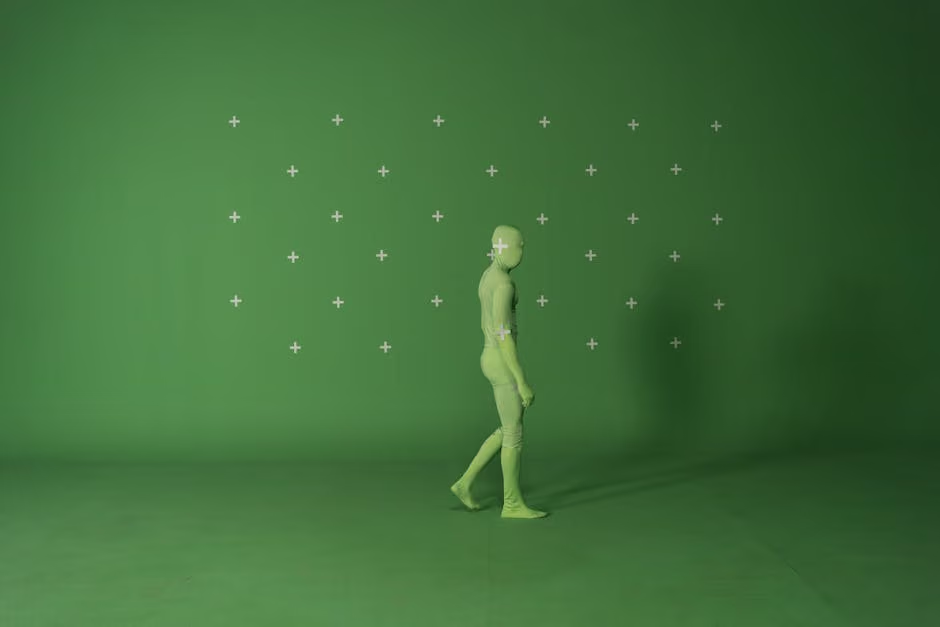
Animation video creation can be a game-changer for non-profits aiming to amplify their mission-driven messages. By transforming ideas into vibrant visuals, these videos captivate audiences and convey compelling stories with ease. If you're eager to bring your narratives to life, here's a brief outline to kickstart your journey:
Use simple tools: Leverage user-friendly platforms to create stunning animations without the need for extensive design skills.
Tell a story: Focus on story-driven content that resonates with your audience by presenting relatable characters and scenarios.
Engage with visuals: Combine compelling narrative elements with eye-catching graphics and sound to create an emotional connection.
Promote your cause: Turn your videos into a powerful funnel for donations, awareness, and community building by sharing them across social media and digital platforms.
For non-profits, storytelling is an integral part of resonating with broader audiences. Animation provides an avenue to do just that — merging creativity with purpose to lift your cause from awareness to action.

Quick animation video creation definitions:
Understanding Animation Video Creation
Creating compelling animations involves more than just artistic flair. It requires the right tools and techniques to bring your ideas to life. Let's explore the essential features of animation software and how to choose the right style for your project.
Key Features of Animation Software
AI-Powered Tools
With advancements in AI technology, animation software now offers tools that simplify the creation process. These tools allow you to generate studio-quality animations quickly, even if you're a beginner. For instance, platforms like Narratives provide AI-powered features that make it easy to animate characters and scenes.
Video Editing Features
Modern animation software includes a variety of video editing features. From basic functions like trimming and cropping to advanced options like video effects controllers and green screen editors, these tools offer everything you need to refine your animations. The green screen editor, in particular, allows you to create dynamic backgrounds that improve your storytelling.
Templates and Stock Media
Templates are a lifesaver for those new to animation video creation. They provide a starting point that you can customize to fit your needs. With access to a vast library of stock media items, platforms like Narratives ensure you have plenty of resources at your disposal. This includes a wide range of icons, music tracks, and stickers to fuel your creativity.
2D Characters
The ability to create and customize 2D characters is a staple of animation software. These characters can be custom to fit your brand or message, with options to adjust their movements and expressions. This feature is crucial for developing engaging and relatable content.
Choosing the Right Animation Style
Choosing the right animation style is key to effectively conveying your message. Here are some popular styles to consider:
Explainer Videos
These are perfect for breaking down complex ideas into digestible content. Explainer videos often use simple graphics and clear narration to educate viewers. They are ideal for introducing new products or explaining intricate processes.
Live-Action Promos
Combining animation with live-action footage can create engaging promotional content. This style adds a layer of realism while still allowing for creative freedom. It's great for showcasing real-world applications of your products or services.
Character Animation
Character-driven animations can make your story more relatable. By focusing on character development and interaction, you can create narratives that resonate with your audience. This style is particularly effective for storytelling and brand building.
By leveraging these features and styles, you can craft animations that not only capture attention but also communicate your message effectively. Next, we'll explore a step-by-step guide to animation video creation, from character selection to finalizing your video.
Step-by-Step Guide to Animation Video Creation
Creating an engaging animation video involves several key steps. Let's break it down into manageable parts: selecting and customizing characters, adding and syncing audio, and finalizing and sharing your animation.
Selecting and Customizing Characters
The first step in animation video creation is choosing the right characters. Most animation software offers a character library with a diverse range of options, from people to animals to imaginative beings. This allows you to pick a character that aligns with your story or brand.
Once you've selected a character, customization is where the fun begins. You can adjust head, arm, and eye movements to add personality and realism. Lip sync is automatically generated based on your audio, making your characters appear as if they're speaking naturally.
- Character Library: Browse through a variety of characters to find the perfect match for your video.
- Movements and Lip Sync: Customize head, arm, and eye movements. Enjoy automatic lip sync for seamless dialogue.
Adding and Syncing Audio
Audio integration is crucial for bringing your animation to life. Whether you choose to record your own voice or upload an audio file, modern tools simplify this process.
- Audio Recording: Use your device's microphone to record directly. Platforms like Animaker provide easy-to-use recording features.
- File Upload: If you have pre-recorded audio, simply upload it. This gives you flexibility in choosing the best sound for your animation.
- Automatic Synchronization: Most software automatically syncs audio with your character's lip movements, ensuring a polished and professional look.
Finalizing and Sharing Your Animation
Once your characters and audio are set, it's time to preview and refine your animation. This step allows you to make any necessary adjustments before sharing your creation with the world.
- Preview: Watch your animation to ensure everything looks and sounds as you intended. Make tweaks to timing, movements, or audio as needed.
- Download: Once satisfied, download your animation directly to your device.
- Social Media Sharing: Share your masterpiece on social media platforms to reach a wider audience. Engaging animations can boost your online presence and captivate your followers.

By following these steps, you can create compelling animations that tell your story effectively. Next, we'll explore the top tools available for animation video creation, catering to both beginners and professionals.
Top Tools for Animation Video Creation
Creating stunning animations doesn't require a degree in design. With the right tools, both beginners and professionals can bring their ideas to life. Let's explore some of the top tools available for animation video creation.
Essential Tools for Beginners
For those just starting out, simplicity and ease-of-use are key. Here are some beginner-friendly tools:
Narratives Animation Studio: Known for its user-friendly interface, Narratives Animation Studio allows anyone to create videos quickly. It offers a vast selection of templates and a free-forever plan, making it accessible for all. Beginners can enjoy basic video editing features like trimming and cropping, as well as automatic lip-sync for characters.
Narratives Simple Animator: This online platform is perfect for those with limited animation experience. It offers a range of basic and advanced features to help you create professional-looking animations. With AI assistance, Narratives Simple Animator helps smooth your shapes and lines, making your animations look polished without much effort.
Narratives QuickToon: This tool is ideal for creating engaging animations without spending a dime. Narratives QuickToon provides a variety of templates and animated characters, allowing you to customize your animations to suit your style. It's designed to be intuitive, so you can focus on telling your story rather than getting bogged down by technical details.
These tools offer free software, templates, and easy-to-use features that make animation creation accessible to everyone.
Advanced Tools for Professionals
For those with more experience or looking for advanced features, the following tools provide professional quality and flexibility:
Narratives Pro Animator: Developed by the creators of Narratives Animation Studio, Narratives Pro Animator leverages AI to transform text prompts into dynamic animated content. It's perfect for professionals who need to create high-quality promotional or educational videos. With features like animated talking heads and voice synthesis, it offers a comprehensive suite for video creation.
Advanced Video Editing Features: For professionals, tools with complex features like video effects controllers and green screen editors are essential. These allow for more intricate animations and effects, enabling creators to produce studio-quality videos.
Professional Quality Outputs: Platforms like Narratives Pro Animator offer the ability to create high-resolution videos that can be shared directly on social media or downloaded for other uses. This ensures your animations maintain their quality across various platforms.
By choosing the right tools, anyone can excel in animation video creation. Whether you're just starting or looking to improve your skills, these tools provide the resources needed to create captivating animations that engage and inspire.
Frequently Asked Questions about Animation Video Creation
How do I start creating animated videos?
Starting with animation video creation is easier than you might think, even if you're a complete beginner. Here's a simple roadmap to get you started:
Choose a User-Friendly Tool: Start with a tool that offers intuitive interfaces and templates that make it easy to begin. Look for platforms that provide a vast library of templates and characters, allowing you to dive right into creating without the need for extensive training.
Select Your Animation Style: Decide whether you want to create 2D animations, explainer videos, or live-action promos. Each style has its own set of features and tools. If you're interested in character animation, look for platforms with comprehensive character libraries and customization options.
Experiment and Learn: Use the basic features available, such as trimming, cropping, and lip-sync, to familiarize yourself with the tool. Many platforms offer free tutorials and resources to help you learn the ropes.
Create and Share: Once you're comfortable, start creating your first animation. Use the preview feature to make adjustments, then download and share your creation on social media or other platforms.
What are the best tools for beginners?
For those new to animation, it's crucial to pick tools that are both powerful and easy to use. Here are some top recommendations:
User-Friendly Animation Software: Look for software that offers a free plan with access to a wide range of templates and stock media. It's perfect for beginners looking to create professional-looking videos without a steep learning curve.
AI-Powered Features: Choose platforms known for their ease of use and AI-powered features, which help beginners create polished animations with minimal effort. Support for voiceovers and auto lip-sync can also be beneficial.
Engaging Presentation Tools: Consider platforms that are great for creating engaging presentations and animations. They should provide a variety of templates and be designed to be intuitive, making them ideal for those who want to focus on storytelling.
These tools provide the necessary resources to begin your animation video creation journey without overwhelming you with complex features.
How can I make my animations more engaging?
Creating engaging animations is all about capturing your audience's attention and delivering your message effectively. Here are some tips to improve your animations:
Use Compelling Characters: Choose characters that resonate with your audience. Customize their movements and expressions to make them relatable and dynamic.
Integrate Audio Effectively: Audio is a powerful tool in animation. Use clear voiceovers and background music to improve your story. Look for platforms that offer automatic synchronization features to ensure your audio aligns perfectly with your animation.
Leverage Advanced Features: As you get more comfortable, explore advanced features like video effects controllers and green screen editors. These allow you to add depth and complexity to your animations, making them more visually appealing.
Keep It Concise: Short, focused animations tend to be more impactful. Aim for clarity and brevity to keep your audience engaged throughout.
By following these tips, you can lift your animation video creation and create content that captivates and inspires your audience.
Conclusion
As we wrap up our exploration of animation video creation, highlight how this powerful tool aligns with the mission of Narratives. At Narratives, our focus is on digital storytelling that makes a real-world impact, especially for non-profits and purpose-driven organizations. By bringing stories to life through animation, we help amplify underrepresented voices, fostering social change and community engagement.
Animation is more than just a creative endeavor; it's a medium that can inspire action and build trust. For non-profits, using animated videos to share their impact stories can significantly increase visibility and motivate support. As we've seen in our research, organizations like Crazy Egg have successfully used animation to drive significant business results. Similarly, non-profits can harness this medium to connect with their audience on an emotional level.
Incorporating animation video creation into your storytelling strategy can transform how your message is perceived and received. With tools that are accessible and easy to use, even beginners can create compelling content that resonates. Whether it's through character animations, explainer videos, or live-action promos, the possibilities are vast and impactful.
As you start on your animation journey, the ultimate goal is to tell stories that matter. At Narratives, we're committed to helping you achieve this. By using animation to lift your message, you can make a lasting impact in your community and beyond.
For more insights into how Narratives can support your storytelling efforts, visit our Learn More page. Let's create stories that inspire change and drive social impact together.

.avif)